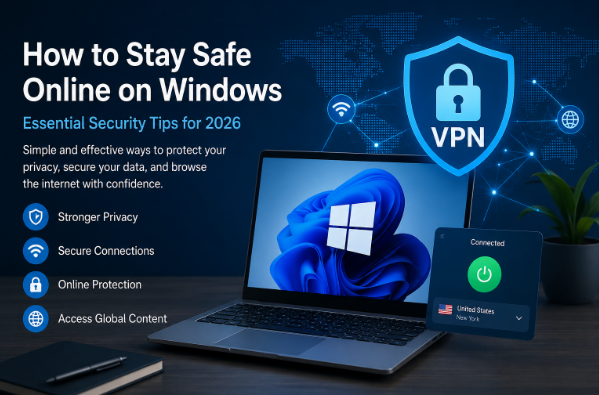
The internet has become an essential part of everyday life. Whether you’re working remotely, attending online classes, shopping, banking, or simply browsing your favorite websites, your personal information is constantly being exchanged across the web. Unfortunately, cyber threats continue to evolve, making online privacy more important than ever.
Windows remains the most widely used operating system in the world, which also makes it one of the most common targets for hackers and cybercriminals. Fortunately, protecting your online activity doesn’t require advanced technical knowledge. By using some clever security habits and the correct tools, you can greatly lower your chances of being affected.
Keep Your Windows System Updated
One of the easiest ways to stay protected is by keeping Windows updated. Microsoft regularly releases security patches that fix newly discovered vulnerabilities. Delaying these updates can make your computer more vulnerable to malware and other cyber threats. This simple habit can prevent many common security issues.
Create Strong and Unique Passwords
Weak passwords are still one of the main reasons online accounts get hacked.Avoid using personal information like birthdays or easy number combinations when creating passwords.
Make sure your passwords are long and include a mix of uppercase and lowercase letters, numbers, and special symbols.Using a password manager can help you keep your login details safe and in order. Whenever available, enable two-factor authentication (2FA).
This adds an extra layer of protection even if someone obtains your password.
Protect Yourself on Public Wi-Fi
Public Wi-Fi networks at airports, hotels, coffee shops, and shopping centers are convenient but often insecure. Attackers can intercept data transmitted through unsecured networks without users even realizing it.
Using iTop VPN while connected to public Wi-Fi helps create a secure connection between your device and the internet, making it much more difficult for unauthorized users to monitor your online activity.
Whether you’re checking emails, accessing work documents, or logging into online banking, protecting your connection is always a smart decision.
Browse the Internet More Safely
Many websites use encrypted connections, but not all of them follow modern security standards.Before inputting any personal details, check that the website address starts with HTTPS to ensure it’s a secure connection.
Don’t click on links you don’t recognize, especially those in emails, texts, or messages from social media.Cybercriminals frequently use fake websites designed to steal passwords and financial information.
Installing trusted browser security extensions and regularly clearing cookies and browsing data can also improve your online privacy.
Download Software Only from Trusted Sources
Free software downloaded from unofficial websites often contains unwanted programs or malicious code. Always download applications directly from official developer websites or reputable software stores.
Before installing any application, read user reviews and verify the publisher whenever possible.
Secure Your Personal Information
Many online services ask for more information than they really need. Before creating accounts, review privacy settings and limit the amount of personal data you share publicly.
Be cautious when granting permissions to apps that request access to your location, camera, microphone, or contacts unless those permissions are genuinely necessary.
Why Online Privacy Matters
Every online activity leaves behind digital footprints. Search history, browsing habits, and personal information can all be collected by different services if users are not careful.
Using a reliable free VPN such as iTop VPN can provide an additional layer of privacy by helping protect your internet connection, especially when using unfamiliar or unsecured networks. It delivers practical protection for Windows users without requiring immediate payment for premium features.
While no security solution can eliminate every online threat, combining safe browsing habits with trusted privacy tools greatly improves your overall protection.
Final Thoughts
Online security is no longer optional—it’s an important part of everyday digital life. Windows users face a variety of online risks, but most of them can be avoided through simple precautions.
Keeping your system up to date, using strong passwords, staying away from suspicious websites, downloading software only from trusted places, and securing your internet connection all help make your online experience safer.
By making cybersecurity part of your daily routine, you can browse, work, and communicate online with greater confidence while reducing the risk of data theft and privacy breaches.